


Page 122 - LIT-18626-13-49
P. 122
SportsBoat_F3R15.book Page 113 Friday, May 14, 2021 11:12 AM
Instrument operation
(4) Select “OK” for both the multi-function Zone control screen
display unit and the external device. Perform volume adjustment for each zone.
To disconnect an external device, turn off the
Zone Control
Bluetooth function of the external device.
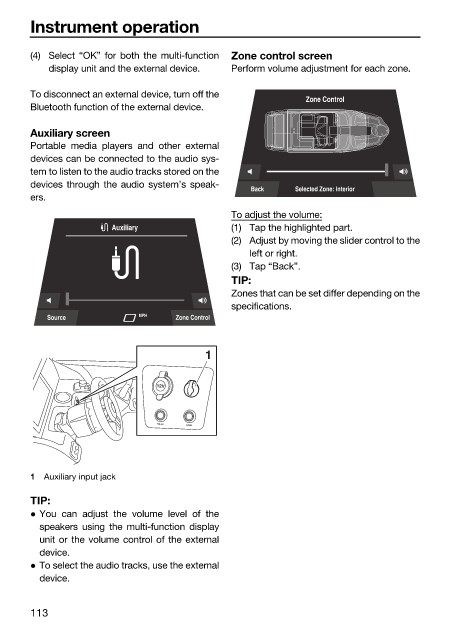
Auxiliary screen
Portable media players and other external
devices can be connected to the audio sys-
tem to listen to the audio tracks stored on the
devices through the audio system’s speak-
Back Selected Zone: Interior
ers.
To adjust the volume:
Auxiliary (1) Tap the highlighted part.
(2) Adjust by moving the slider control to the
left or right.
(3) Tap “Back”.
TIP:
Zones that can be set differ depending on the
specifications.
Source MPH Zone Control
1
12V
BILGE
HORN
1 Auxiliary input jack
TIP:
You can adjust the volume level of the
speakers using the multi-function display
unit or the volume control of the external
device.
To select the audio tracks, use the external
device.
113

