


Page 124 - LIT-18626-13-49
P. 124
SportsBoat_F3R15.book Page 115 Friday, May 14, 2021 11:12 AM
Instrument operation
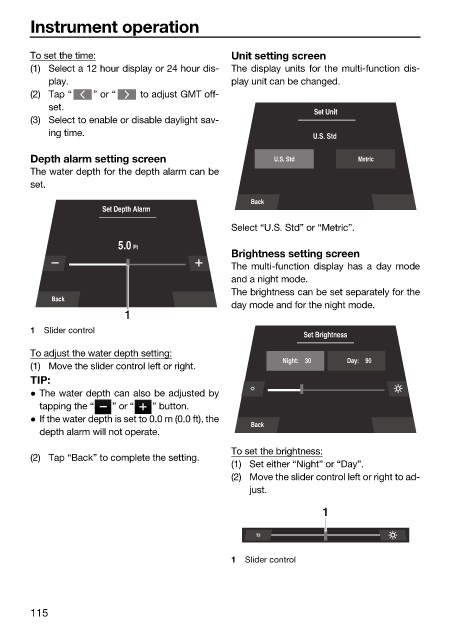
To set the time: Unit setting screen
(1) Select a 12 hour display or 24 hour dis- The display units for the multi-function dis-
play. play unit can be changed.
(2) Tap “ ” or “ to adjust GMT off-
set.
Set Unit
(3) Select to enable or disable daylight sav-
ing time. U.S. Std
Depth alarm setting screen U.S. Std Metric
The water depth for the depth alarm can be
set.
Back
Set Depth Alarm
Select “U.S. Std” or “Metric”.
5.0 Ft
Brightness setting screen
The multi-function display has a day mode
and a night mode.
The brightness can be set separately for the
Back
day mode and for the night mode.
1
1 Slider control
Set Brightness
To adjust the water depth setting:
Night: 30 Day: 90
(1) Move the slider control left or right.
TIP:
The water depth can also be adjusted by
tapping the “ ” or “ ” button.
If the water depth is set to 0.0 m (0.0 ft), the
Back
depth alarm will not operate.
To set the brightness:
(2) Tap “Back” to complete the setting.
(1) Set either “Night” or “Day”.
(2) Move the slider control left or right to ad-
just.
1
1 Slider control
115

