


Page 84 - LIT-18626-15-35
P. 84
SportsBoat_F7F10.book Page 73 Monday, May 27, 2024 9:57 AM
Instrument operation
sist (function that assists turning) to turn neu- (4) Tap “ ”. “Ballast Overdrain Initiated” is
tral steering assist on or off. displayed, and draining starts.
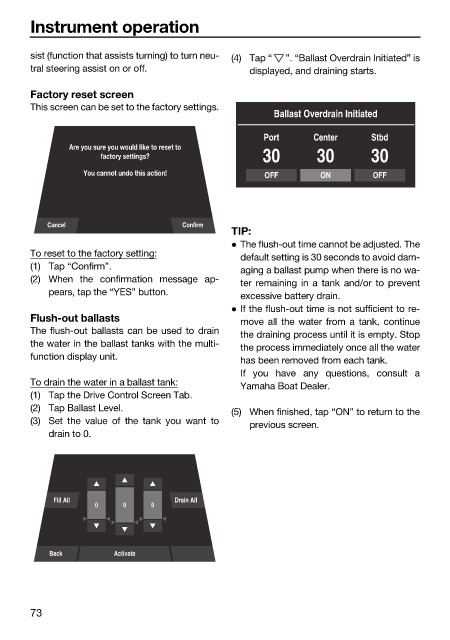
Factory reset screen
This screen can be set to the factory settings.
Ballast Overdrain Initiated
Port Center Stbd
Are you sure you would like to reset to
factory settings? 30 30 30
You cannot undo this action! OFF ON OFF
Cancel Confirm
TIP:
The flush-out time cannot be adjusted. The
To reset to the factory setting: default setting is 30 seconds to avoid dam-
(1) Tap “Confirm”. aging a ballast pump when there is no wa-
(2) When the confirmation message ap- ter remaining in a tank and/or to prevent
pears, tap the “YES” button. excessive battery drain.
If the flush-out time is not sufficient to re-
Flush-out ballasts move all the water from a tank, continue
The flush-out ballasts can be used to drain the draining process until it is empty. Stop
the water in the ballast tanks with the multi- the process immediately once all the water
function display unit. has been removed from each tank.
If you have any questions, consult a
To drain the water in a ballast tank: Yamaha Boat Dealer.
(1) Tap the Drive Control Screen Tab.
(2) Tap Ballast Level. (5) When finished, tap “ON” to return to the
(3) Set the value of the tank you want to previous screen.
drain to 0.
Fill All Drain All
0 0 0
Back Activate
73

