


Page 71 - LIT-18626-15-28
P. 71
SportsBoat_F4X16.book  Page 61  Monday, May 27, 2024  10:24 AM


                                                                 Instrument operation

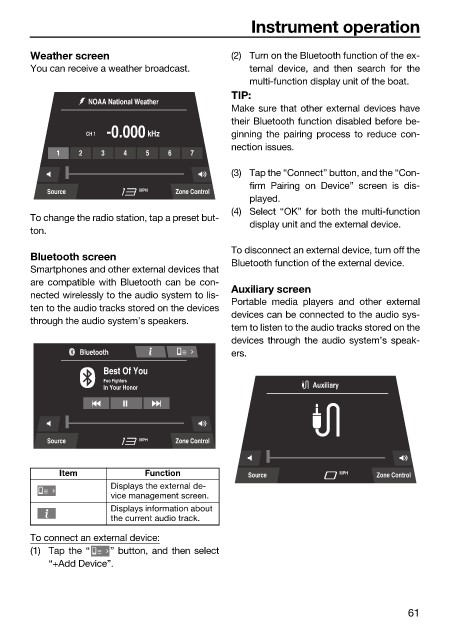
                        Weather screen                        (2) Turn on the Bluetooth function of the ex-
                        You can receive a weather broadcast.     ternal  device, and  then search for the
                                                                 multi-function display unit of the boat.
                                                              TIP:
                                   NOAA National Weather
                                                              Make sure that other external devices have
                                                              their Bluetooth function disabled before be-
                                   CH 1 -0.000  kHz           ginning the pairing  process  to reduce  con-
                                                              nection issues.
                             1   2   3    4   5   6   7
                                                              (3) Tap the “Connect” button, and the “Con-
                                                                 firm Pairing on Device”  screen is  dis-
                           Source            MPH   Zone Control
                                                                 played.
                                                              (4) Select “OK” for both the multi-function
                        To change the radio station, tap a preset but-
                                                                 display unit and the external device.
                        ton.
                                                              To disconnect an external device, turn off the
                        Bluetooth screen
                                                              Bluetooth function of the external device.
                        Smartphones and other external devices that
                        are compatible with Bluetooth can be con-  Auxiliary screen
                        nected wirelessly to the audio system to lis-
                                                              Portable media players  and other external
                        ten to the audio tracks stored on the devices
                                                              devices can be connected to the audio sys-
                        through the audio system’s speakers.
                                                              tem to listen to the audio tracks stored on the
                                                              devices through the audio system’s speak-
                                 Bluetooth                    ers.
                                      Best Of You
                                      Foo Fighters
                                      In Your Honor                          Auxiliary


                           Source            MPH   Zone Control


                              Item            Function           Source           MPH    Zone Control
                                       Displays the external de-
                                       vice management screen.
                                       Displays information about
                                       the current audio track.

                        To connect an external device:
                        (1) Tap the “  ” button, and then select
                            “+Add Device”.


                                                                                               61

