


Page 71 - LIT-18626-14-65
P. 71
SportsBoat_F4X15.book Page 64 Friday, June 16, 2023 8:43 AM
Instrument operation
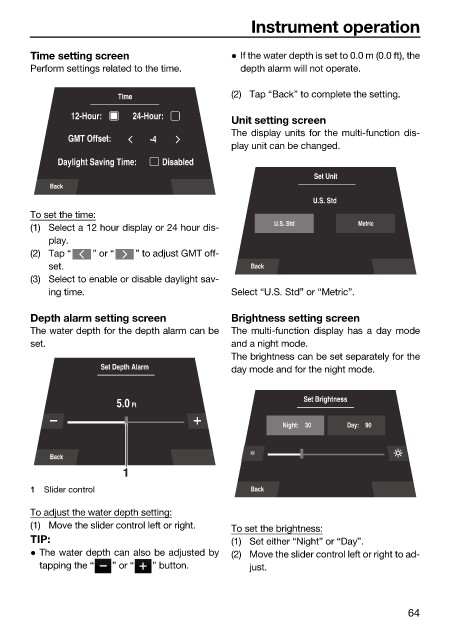
Time setting screen If the water depth is set to 0.0 m (0.0 ft), the
Perform settings related to the time. depth alarm will not operate.
Time (2) Tap “Back” to complete the setting.
12-Hour: 24-Hour:
Unit setting screen
The display units for the multi-function dis-
GMT Offset: -4
play unit can be changed.
Daylight Saving Time: Disabled
Set Unit
Back
U.S. Std
To set the time:
(1) Select a 12 hour display or 24 hour dis- U.S. Std Metric
play.
(2) Tap “ ” or “ ” to adjust GMT off-
set. Back
(3) Select to enable or disable daylight sav-
ing time. Select “U.S. Std” or “Metric”.
Depth alarm setting screen Brightness setting screen
The water depth for the depth alarm can be The multi-function display has a day mode
set. and a night mode.
The brightness can be set separately for the
Set Depth Alarm day mode and for the night mode.
Set Brightness
5.0 Ft
Night: 30 Day: 90
Back
1
1 Slider control Back
To adjust the water depth setting:
(1) Move the slider control left or right. To set the brightness:
TIP: (1) Set either “Night” or “Day”.
The water depth can also be adjusted by (2) Move the slider control left or right to ad-
tapping the “ ” or “ ” button. just.
64

