


Page 53 - LIT-18626-13-51
P. 53
SportsBoat_F6H11.book Page 46 Friday, May 21, 2021 4:25 PM
Instrument operation
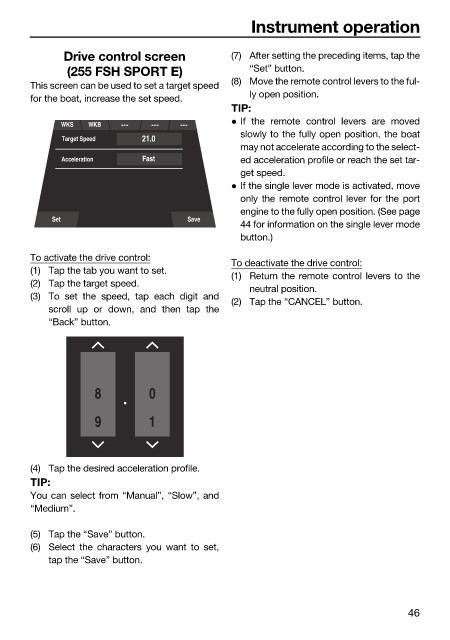
Drive control screen (7) After setting the preceding items, tap the
(255 FSH SPORT E) “Set” button.
(8) Move the remote control levers to the ful-
This screen can be used to set a target speed
ly open position.
for the boat, increase the set speed.
TIP:
If the remote control levers are moved
WKS WKB
slowly to the fully open position, the boat
Target Speed 21.0
may not accelerate according to the select-
Acceleration Fast ed acceleration profile or reach the set tar-
get speed.
If the single lever mode is activated, move
only the remote control lever for the port
engine to the fully open position. (See page
Set Save
44 for information on the single lever mode
button.)
To activate the drive control:
To deactivate the drive control:
(1) Tap the tab you want to set.
(1) Return the remote control levers to the
(2) Tap the target speed.
neutral position.
(3) To set the speed, tap each digit and
(2) Tap the “CANCEL” button.
scroll up or down, and then tap the
“Back” button.
8 0
9 1
(4) Tap the desired acceleration profile.
TIP:
You can select from “Manual”, “Slow”, and
“Medium”.
(5) Tap the “Save” button.
(6) Select the characters you want to set,
tap the “Save” button.
46

