


Page 69 - LIT-18626-13-49
P. 69
SportsBoat_F3R15.book  Page 60  Friday, May 14, 2021  11:12 AM


                                                                 Instrument operation

                        (2) When the confirmation message ap-
                            pears, tap the “YES” button to reset the
                            number of hours of operation.                 Factory Reset
                        TIP:
                        To return to the maintenance setting screen
                        without  resetting the number of hours, tap  Reset all parameters to factory setting?
                        the “NO” button.
                                                                     Reset            Back
                              1

                             YES      Are you sure ?  NO

                        1  “YES” button                       To reset the settings:
                                                              (1) Tap the “Reset” button.
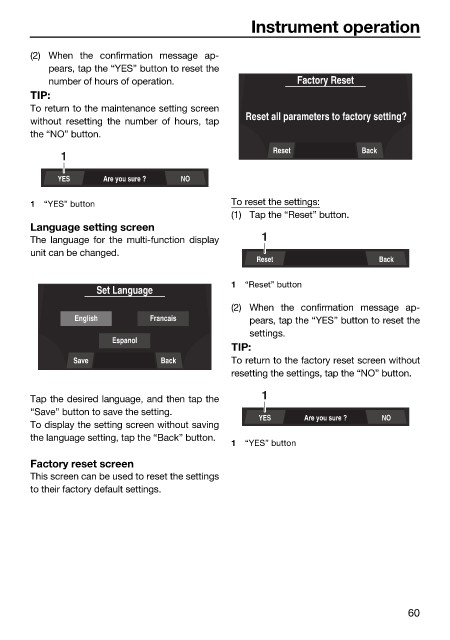
                        Language setting screen
                        The language for the  multi-function  display  1
                        unit can be changed.
                                                                  Reset                  Back

                                                              1  “Reset” button
                                     Set Language
                                                              (2) When the confirmation message ap-
                                English        Francais          pears, tap the “YES” button to reset the
                                                                 settings.
                                       Espanol
                                                              TIP:
                                Save             Back         To return to the factory reset screen without
                                                              resetting the settings, tap the “NO” button.

                        Tap the desired language, and then tap the  1
                        “Save” button to save the setting.
                                                                   YES     Are you sure ?  NO
                        To display the setting screen without saving
                        the language setting, tap the “Back” button.
                                                              1  “YES” button
                        Factory reset screen
                        This screen can be used to reset the settings
                        to their factory default settings.


                                                                                               60

