


Page 106 - LIT-18626-13-49
P. 106
SportsBoat_F3R15.book Page 97 Friday, May 14, 2021 11:12 AM
Instrument operation
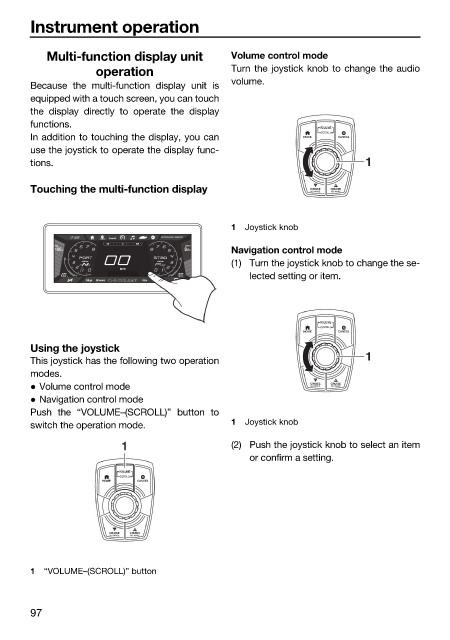
Multi-function display unit Volume control mode
operation Turn the joystick knob to change the audio
volume.
Because the multi-function display unit is
equipped with a touch screen, you can touch
the display directly to operate the display
functions. VOLUME
(SCROLL)
In addition to touching the display, you can HOME CANCEL
use the joystick to operate the display func-
tions. 1
Touching the multi-function display CRUISE CRUISE
NO WAKE
NO WAKE
1 Joystick knob
RUNNING MODE
SE S SW
FUEL DEPTH
100 % .8 9 ft Navigation control mode
19 19
(1) Turn the joystick knob to change the se-
x1000 rpm x1000 rpm
MPH
START HOUSE
13.0 V 9 9 13.0 V lected setting or item.
Bilge Blower Nav Anchor
VOLUME
(SCROLL)
HOME CANCEL
Using the joystick
This joystick has the following two operation 1
modes.
Volume control mode CRUISE CRUISE
NO WAKE
NO WAKE
Navigation control mode
Push the “VOLUME–(SCROLL)” button to
switch the operation mode. 1 Joystick knob
1 (2) Push the joystick knob to select an item
or confirm a setting.
VOLUME
(SCROLL)
HOME CANCEL
CRUISE CRUISE
NO WAKE NO WAKE
1 “VOLUME–(SCROLL)” button
97

